VESPRA PayOps™
The command center for intelligent payment operations. Track, automate, and reconcile every transaction across systems. All in one secure, branded dashboard.
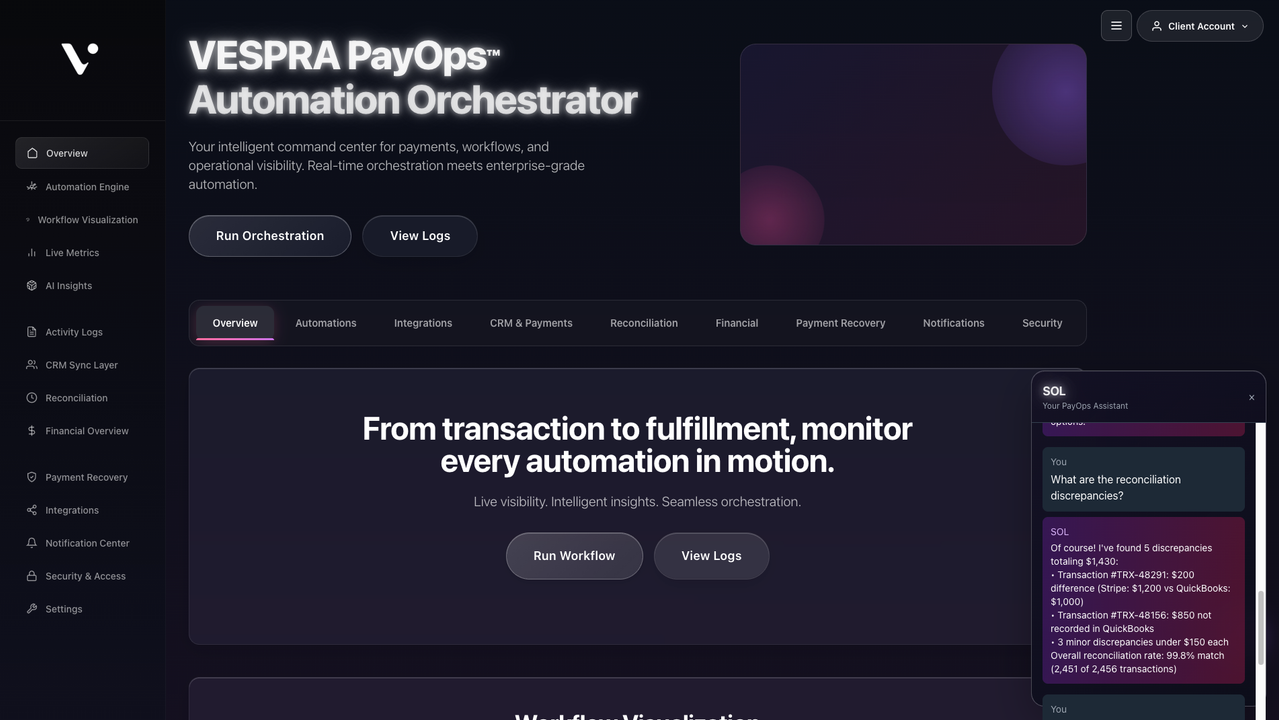
The command center for intelligent payment operations. Track, automate, and reconcile every transaction across systems. All in one secure, branded dashboard.
Visualize how workflows, analytics, and reconciliation align inside one dashboard.
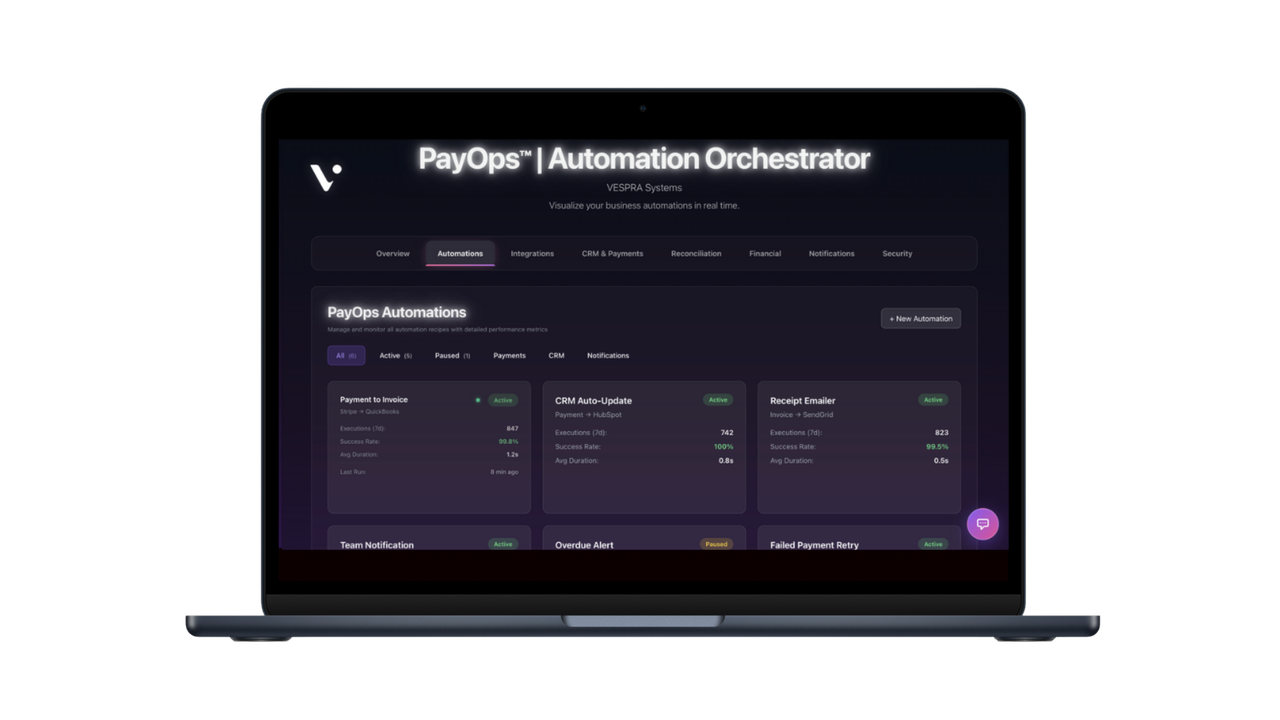
Workflow Visualization & Automations
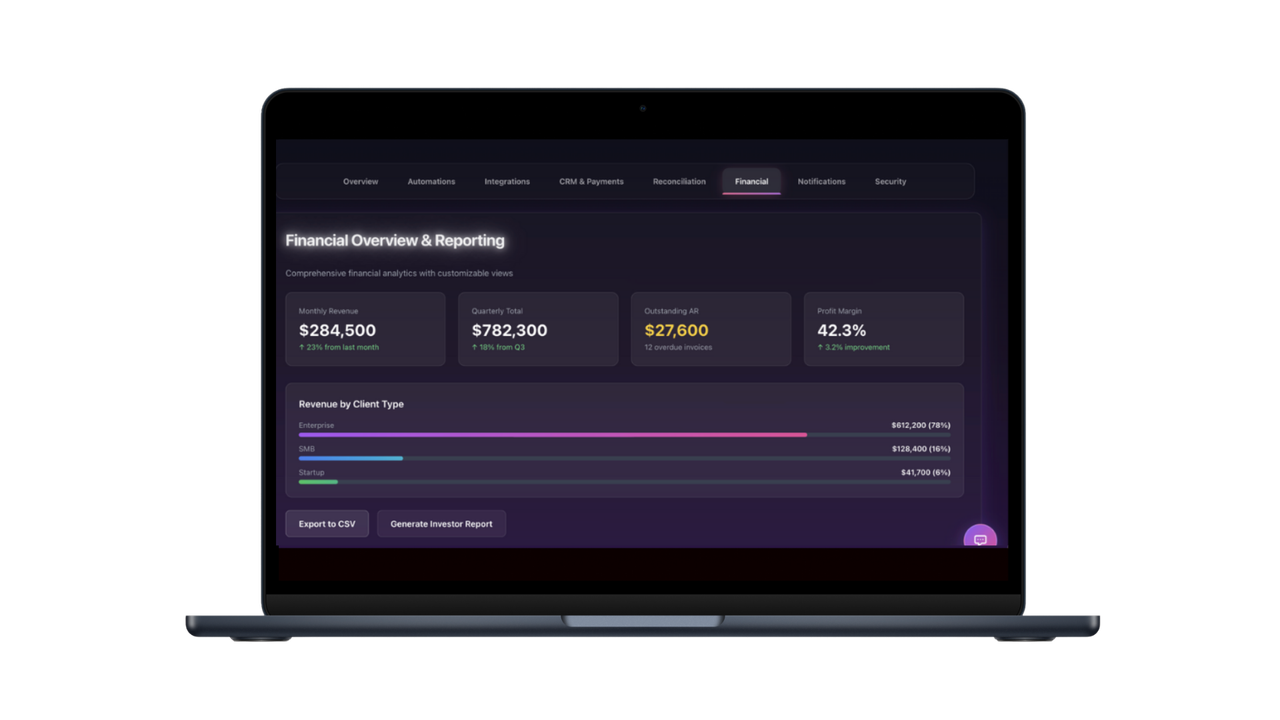
Revenue Intelligence Dashboard
Implemented in days. Our modular system integrates with Stripe, QuickBooks, HubSpot, and more.
We evaluate your current billing and reconciliation flows.
We design your PayOps™ layer. We'll unite payments, analytics, and automations into a central hub.
We deploy your live PayOps™ dashboard with connected workflows.
As your data evolves, your custom built system learns.Continuous intelligence is built in to grow with your business operations.
SOL is your AI-powered assistant inside PayOps.™ Leverage a conversational layer built to answer your financial queries, monitor payments, and suggest optimizations in real time. Think of SOL as your automated CFO’s copilot, helping teams move from insights to action instantly.
SOL connects directly to your payment and analytics data, so you can ask:
SOL responds instantly with live metrics, charts, and contextual actions. Setup instantly bridges analysis, automation, and execution.
Join Beta to Unlock SOL
Preview: SOL responding to a revenue insight query
Early adopters receive guided onboarding, data migration, and lifetime partner pricing. Beta access is limited. Secure your invitation today.
Answers to common questions about PayOps™, integrations, automations, and implementation.
PayOps™ is a smart command center for your company’s payment operations. It brings together billing, automations, analytics, and client workflows in one secure, branded dashboard so your entire payment lifecycle is visible and automated in real time.
Zapier connects apps; PayOps™ orchestrates entire systems. It’s purpose built for business payment operations, meaning it not only automates triggers but also manages reconciliation, analytics, and reporting from start to finish. Think of it as Zapier + QuickBooks + HubSpot + AI all working in sync.
PayOps™ is designed for service driven businesses that handle recurring or high volume transactions, such as law firms, med spas, real estate groups, creative agencies, or SaaS teams. If your revenue depends on organized billing, consistent follow up, and clean data between systems, PayOps™ will transform your back office.
Very. Because PayOps™ integrates with APIs, OAuth, and webhooks, we can tailor workflows to virtually any setup. Whether you use niche CRMs, custom payment links, or industry specific tools, our open integration layer adapts to you, not the other way around. From routing payments to automating client onboarding to syncing data into your CRM, every element can be personalized to your business logic.
Each automation saves hours of manual entry and eliminates dropped steps in your financial workflow.
Not at all. PayOps™ integrates with your existing stack including Stripe, QuickBooks, Clio, HubSpot, Notion, Airtable, and Google Workspace. You can connect through API or OAuth, ensuring every part of your tech ecosystem communicates seamlessly.
PayOps™ uses encrypted API connections and industry standard OAuth authentication. No card data is stored directly. You can define user roles, set permissions, and audit access, giving teams visibility without compromising confidentiality.
Setup typically takes 3 to 5 business days. With standard platforms like Stripe or QuickBooks, we can often go live in under 48 hours. For custom API or OAuth integrations, our team scopes and configures your automations so you’re operational fast.
That’s where PayOps™ shines. Our API first architecture means we can connect to proprietary systems, private databases, or internal dashboards. We’ve built workflows for everything from healthcare intake forms to SaaS billing portals. If it has an API endpoint, we can automate it.
Yes. You can add unlimited users with tiered access levels. Track who created automations, manage approvals, comment on workflows, and monitor activity logs all in one interface.
Clients typically reclaim 8 to 12 hours weekly per team member, reduce reconciliation errors by over 60%, and accelerate payment cycles by 20 to 30%. The result is cleaner data, faster cash flow, and fewer manual tasks.
We offer both one-time implementations and optional ongoing support. You can choose to pay once and run PayOps independently, or opt into a monthly subscription if you want continuous optimization, monitoring, and new automations. No contracts, commissions, or transaction fees.
Every PayOps™ client receives onboarding assistance, email and Slack support, and access to our Knowledge Hub with tutorials, API documentation, and automation templates.
Yes. It’s fully compatible with multi currency and cross border workflows, making it ideal for global teams.
You can schedule a live demo or request a sandbox dashboard. For demos, we walk through real examples using test data so you can clearly see how your tools and workflows would connect. If you want to explore a deeper fit, we can connect a limited test credential (ex: Stripe test mode) so you can visualize your own workflows safely, with no commitment required.